

Insight
Visibility: what it means and how we score it
Spot-checking BestChange shows position on one pair at a time. It does not tell you whether you are visible where customers actually convert, or how that picture looks across your whole listing.
7-day full access after verification. No payment required to start.
Overview
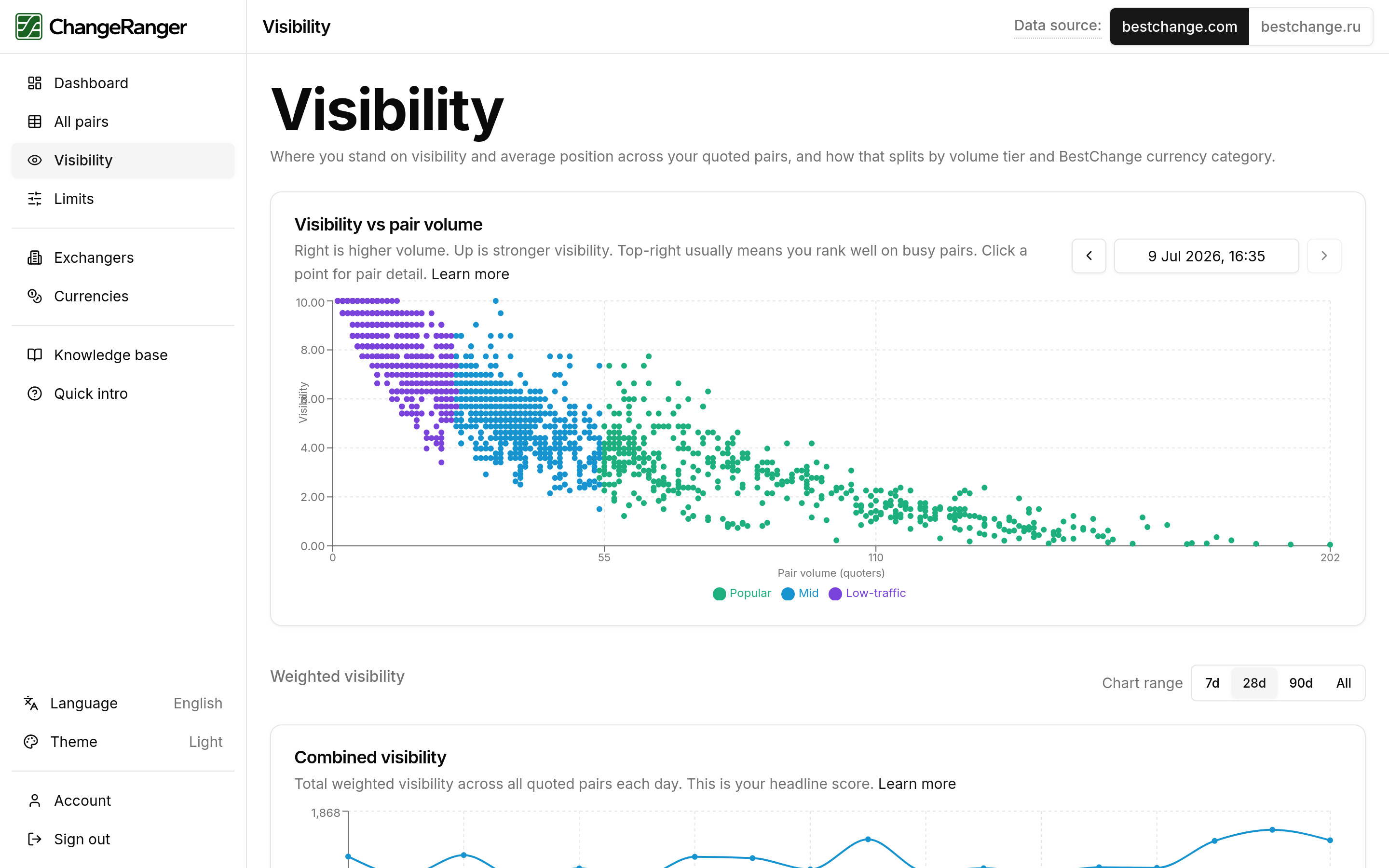
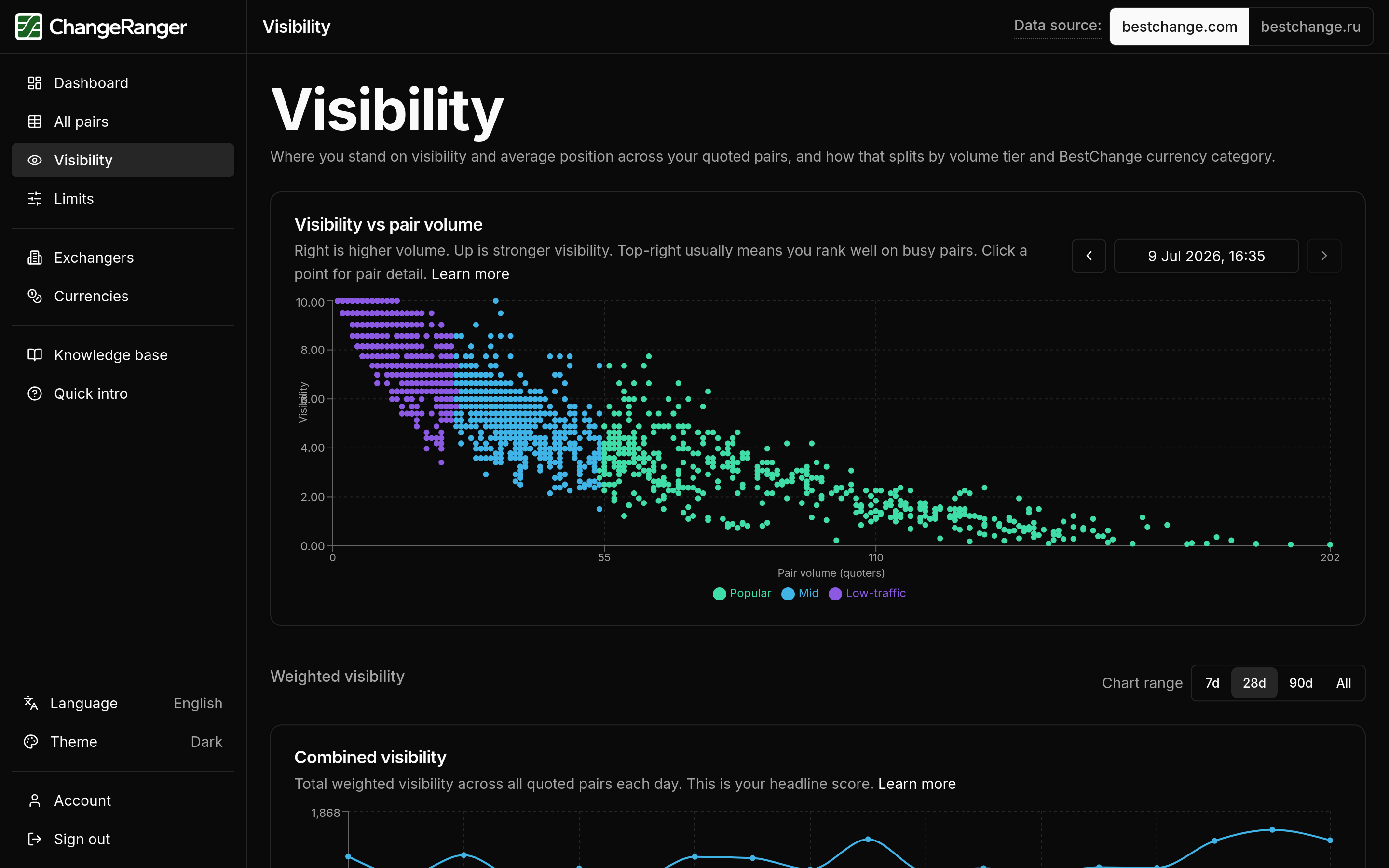
List position is useful on one pair, but rank 3 on a crowded direction is not the same as rank 3 on a rare one, and you cannot add ranks across thousands of pairs. Visibility turns position into a 0-10 score so directions become comparable, then weights popular pairs more when we total your listing. You will see listing health at a glance instead of inferring it from a handful of tabs.
How we score it
Conceptual steps below. Full formulas live in the in-app knowledge base after you sign up.
Step 1
List position
We start from the same order customers see on BestChange for each pair. Position 1 is strongest; each step down the list counts for less attention on that direction.
Step 2
Visibility score (0-10)
Position becomes a score from 0 to 10 on every pair you quote. The scale is the same on every direction, which is what makes pair-level scores combinable into listing-wide totals.
Step 3
Weighted visibility
When we total your listing, popular pairs count more than low-traffic ones. Weighting uses how crowded each pair is on that day's snapshot, so totals reflect where customers browse, not a flat average.
Step 4
Combined and category views
Dashboard totals and currency-category splits sum the same weighted scores. Pair-group breakdowns use the same base score with tier filters, so you do not get conflicting numbers in different parts of the product.
After you sign up, charts link to the in-app knowledge base with "How is this calculated?" for the full scoring detail.
What you'll see in ChangeRanger
Visibility page
Combined totals, category splits, and tier charts.
All pairs table
Per-pair and weighted columns; sortable.
Pair detail
Daily visibility trend for one direction.
Related insights
These core metrics build on the same daily snapshots. Explore how they connect.
Limits
How wide are my limits compared to competitors?
Sort your full listing by min or max rating before a weekly ops review, flag pairs where you trail peers on directions you promote, and use daily charts to see whether a band slipped after competitors moved.
Read moreVolume tiers
Are we winning on popular pairs or only on low-traffic ones?
Start weekly reviews with Popular-tier visibility and limits, check whether a dip is isolated to one tier before adjusting rates across the board, and filter the all-pairs table to popular directions when you plan promotions.
Read moreTry visibility on your exchanger
7-day full access after verification. See combined weighted visibility on your listing with tier and category splits.