

Insight
Limit ratings: what they mean and how we score them
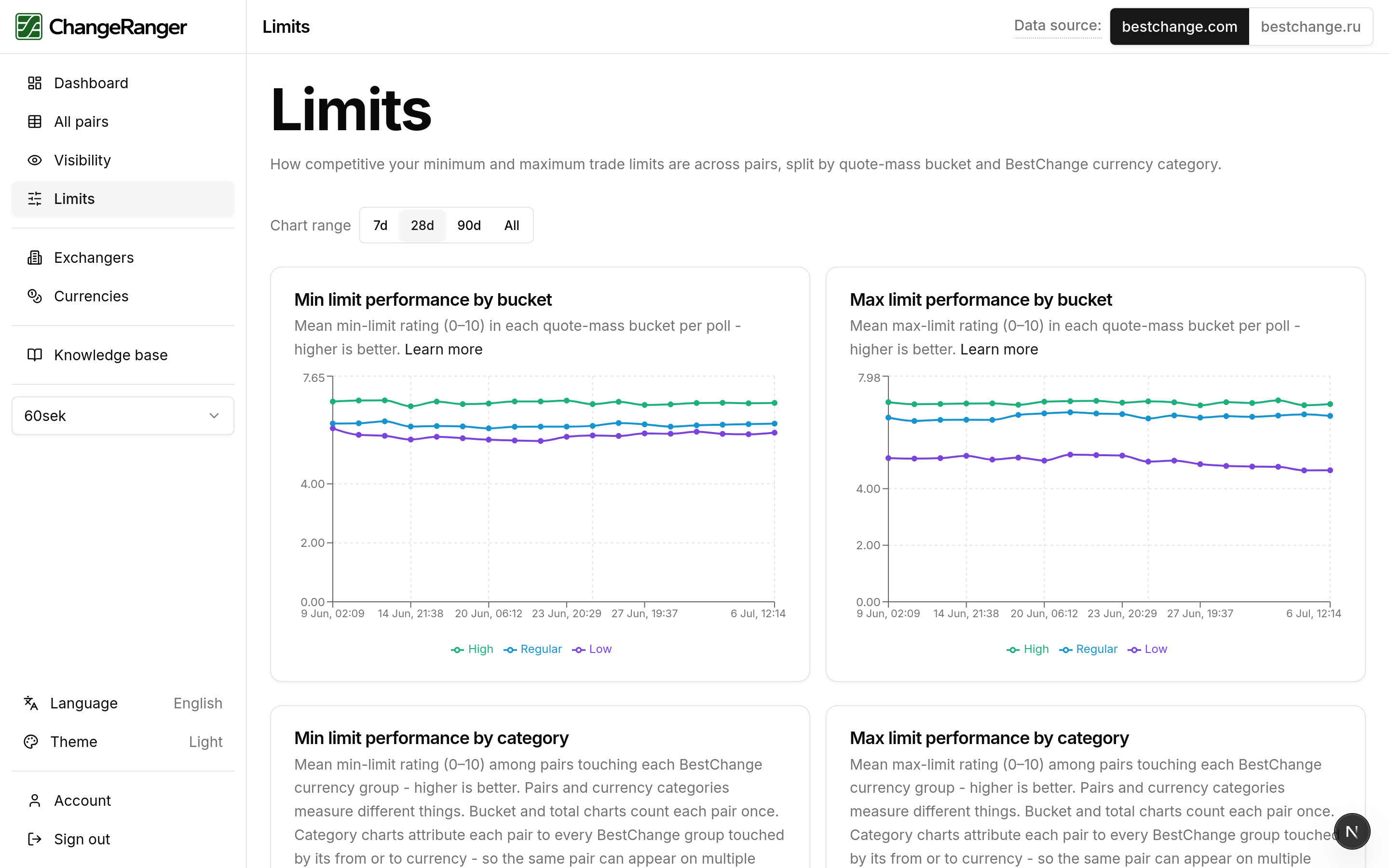
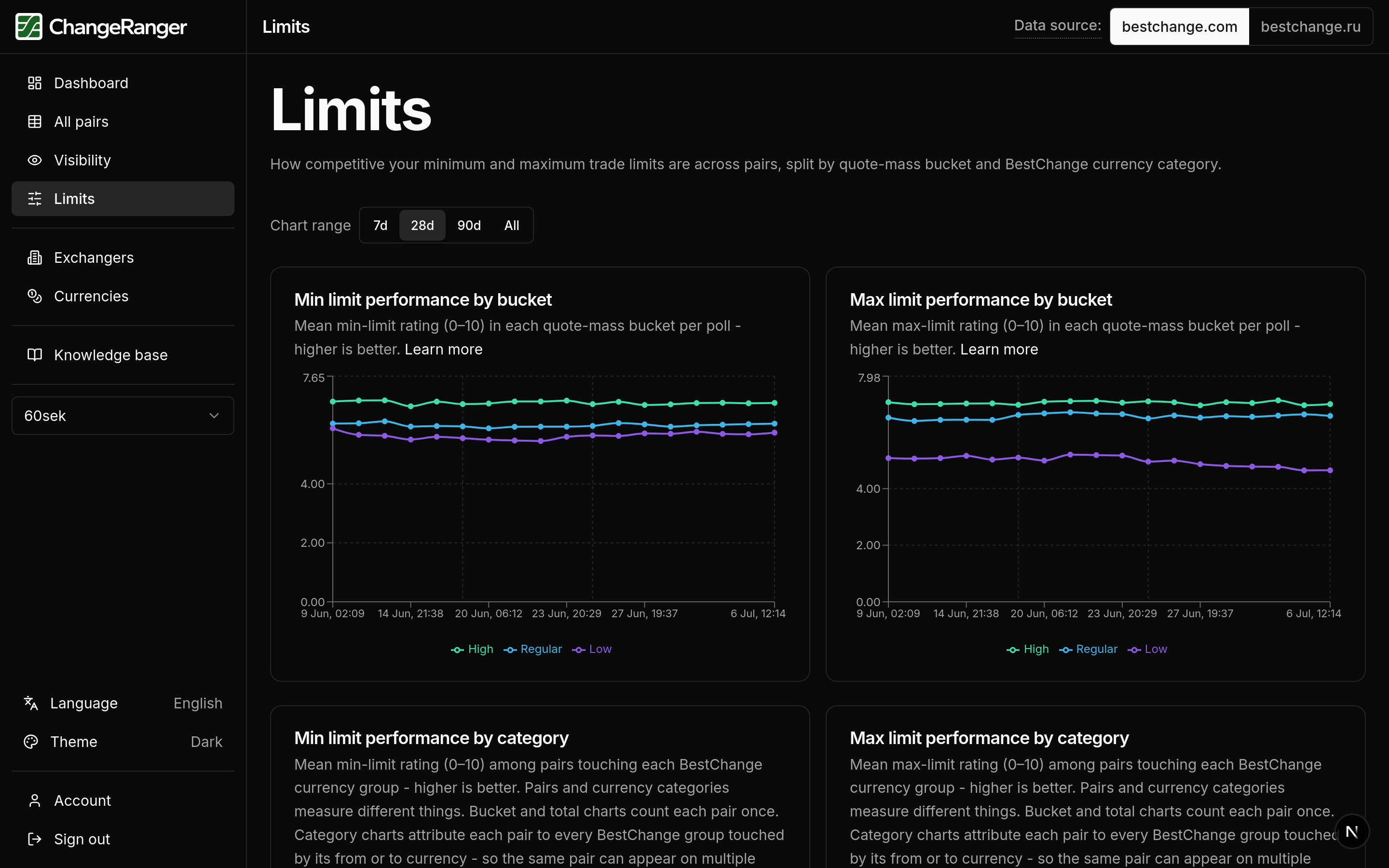
Minimum and maximum limits are easy to adjust in isolation. Without comparing to other exchangers on the same pair, you cannot tell whether your limit range is competitive today or drifting as the market moves.
7-day full access after verification. No payment required to start.
Overview
BestChange shows your minimum and maximum limit on a pair, but a number like 50,000 USDT means something different when competitors cap at 30,000 versus 200,000. Limit ratings compare your limit range to everyone else quoting that direction and map the result to 0-10, separately for minimum and maximum. We score both because a high minimum limit cuts small orders, and a low maximum cuts large ones. You will see which pairs to widen or tighten without reviewing every direction by eye.
How we score it
Conceptual steps below. Full formulas live in the in-app knowledge base after you sign up.
Step 1
Minimum and maximum limit on each pair
Every exchanger publishes minimum and maximum trade sizes. We score both separately because a high minimum and a low maximum create different problems.
Step 2
Compared to the field (0-10)
On each pair we compare your minimum and maximum limit against other exchangers and map that to a score from 0 to 10. Higher means more competitive on that limit range relative to everyone else quoting that direction.
Step 3
Why rating, not absolute amounts
Limit values span huge ranges across pairs and currencies. Rating peers on the same pair keeps scores readable: the widest maximum and smallest minimum on that direction trend toward 10 without squashing everyone near zero.
Step 4
Tracked daily
Each snapshot stores the same ratings, so you can line up limit changes with a specific day when volume dipped or a competitor adjusted bands.
Subscribers get step-by-step scoring in the knowledge base, linked from limit charts in the product.
What you'll see in ChangeRanger
Limits page
Min and max trends with peer context.
All pairs table
Limit rating columns; sort by min or max.
Pair detail
Limit range alongside position and visibility.
Related insights
These core metrics build on the same daily snapshots. Explore how they connect.
Visibility
What is our share on popular pairs?
Use combined weighted visibility in a weekly review, sort the all-pairs table to pick which directions need attention first, and read Popular / Mid / Low-traffic splits when you promote in popular segments. Separate decisions for where volume concentrates from low-traffic pairs you keep for coverage.
Read moreVolume tiers
Are we winning on popular pairs or only on low-traffic ones?
Start weekly reviews with Popular-tier visibility and limits, check whether a dip is isolated to one tier before adjusting rates across the board, and filter the all-pairs table to popular directions when you plan promotions.
Read moreTry limit ratings on your exchanger
7-day full access after verification. Compare min and max to competitors on every pair you quote.